

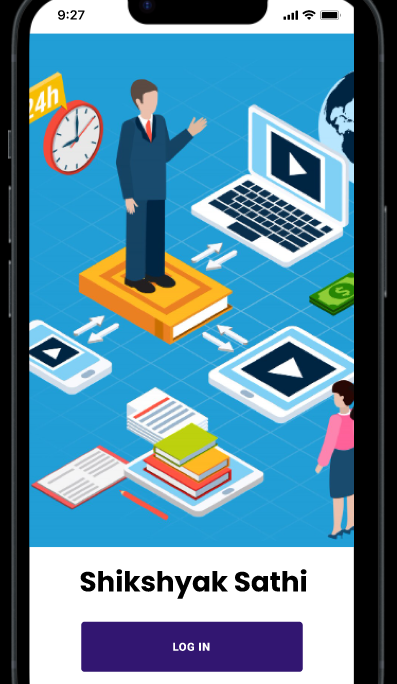
Here is the working prototype of the Collaborative E-mentoring software .
This can be used by mentees to ask for mentoring through the softwareThe features of the app includes:
The Collaborative E-Mentoring Software is a web-based platform designed to connect mentors and mentees in an interactive, structured, and collaborative digital environment. The prototype focuses on enabling seamless communication, knowledge sharing, and progress tracking through an intuitive and user-friendly interface.
Key Features (Prototype-Level)
1. User Roles & Profiles
Mentor and Mentee Accounts:(Mentee on development)
Each user can sign up based on their role, with profile sections showcasing skills, goals, and expertise.Smart Matching (Prototype Logic):
The system suggests suitable mentor–mentee pairs based on predefined criteria such as interests, skill levels, and desired outcomes.
2. Communication Tools
Real-Time Chat Module:
A built-in messaging system for one-on-one or group communication.Discussion Boards:
Shared topic spaces where mentors and mentees can post questions, resources, and feedback.
3. Session Management
Meeting Scheduler:
Users can book mentoring sessions, set availability, and receive notifications.Session Notes:
After each session, mentors or mentees can log notes, key insights, and action items.
4. Collaborative Workspace
Document Sharing:
Upload and share files such as assignments, progress reports, and learning materials.Task Lists:
Shared to-do lists to track goals and responsibilities collaboratively.Feedback & Commenting:
Direct feedback feature on shared tasks or documents.
5. Progress Monitoring
Dashboard Overview:
A visual dashboard showing mentee progress, completed tasks, upcoming sessions, and mentor feedback.Learning Milestones:
Predefined or customizable milestones that help measure growth over time.
6. Prototype UI Elements
Simple Navigation:
Sidebar with sections like Home, Messages, Workspace, Sessions, and Profile.Minimalist Layout:
Clean, distraction-free interface focusing on usability for early-stage testers.